


Official IRS Form 1040 PDF Template: Streamline Your Tax Filing
Filing your federal income tax return is a critical annual task. Our fillable Form 1040 PDF template is designed to help you organize your finances and meet IRS deadlines with ease. By using KDAN PDF, you can do more than just fill out a form—you can seamlessly navigate complex tax schedules, apply electronic signatures, and safeguard your Social Security Number and financial data with professional-grade encryption. Take the stress out of tax season with a faster, more secure digital workflow.
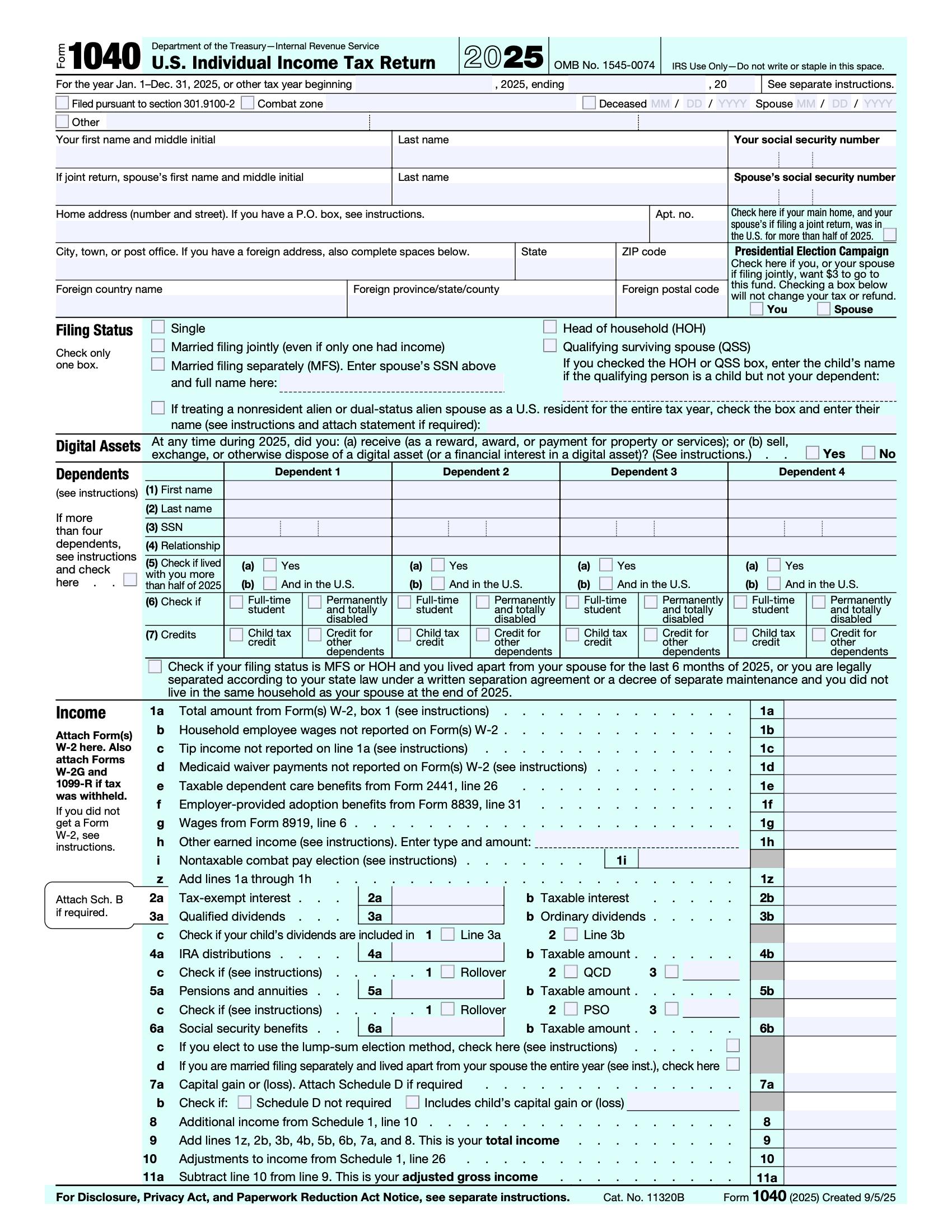
Download the Official 2025-2026 IRS Form 1040 PDF
Your Gateway to a Stress-Free Tax Filing Experience
Form 1040 is the foundation of your federal income tax return. Whether you are reporting wages, business income, or investments, having a clean, interactive PDF template is the first step toward a successful filing.
However, a 1040 rarely stands alone. By using KDAN PDF, you can treat this form as the center of your tax command center—easily navigating between the main form and various schedules to ensure every dollar of income and every deduction is accounted for before the April deadline.
Beyond the Basics: Organizing Schedules A, C, and SE
Seamlessly Merge and Manage Multiple Tax Documents
Most taxpayers need more than just the two pages of Form 1040. If you have itemized deductions (Schedule A), business income (Schedule C), or capital gains (Schedule D), your tax return can quickly become a 20-page document.
KDAN PDF allows you to merge these separate PDF schedules into a single, organized file. You can rearrange pages, add bookmarks for easy navigation, and insert supporting receipts—making it simple to share a complete, professional package with your CPA or tax preparer.
Bank-Level Security for Your Most Sensitive Financial Data
Encrypting Your 1040 to Prevent Identity Theft
Form 1040 contains your Social Security Number, total income, bank account details, and family information. In the wrong hands, this is a blueprint for identity theft.
Unlike basic browser-based viewers, KDAN PDF offers professional-grade encryption tools.
Before you email your return, use our software to set a strong password and apply AES-256 bit encryption.
Secure your financial future by ensuring your tax return remains private and protected during digital transmission.
Professional Electronic Signatures for Your Tax Return
Skip the Printer with Easy, Handwritten Signing
Filling out your Form 1040 is only half the battle—you still need to sign it. Instead of searching for a printer and scanner, use KDAN PDF to add a professional electronic signature in seconds.
You can easily draw your signature directly on the screen or upload an image of your handwritten autograph for a personal touch.
Once applied, our "flattening" feature secures your signature and filled-in data as a permanent part of the document.
This ensures your tax return looks professional, remains unalterable, and is ready for official submission without the paper waste.
Frequently Asked Questions: Navigating Form 1040
Q: What is the difference between Form 1040 and 1040-SR?
A: Form 1040 is the standard return for most individuals, while Form 1040-SR is specifically designed with larger print and a simplified layout for seniors (aged 65 or older).
Q: When is the 2026 tax filing deadline for Form 1040?
Legal Disclaimer: This template is provided for informational purposes only and does not constitute tax, legal, or professional advice. KDAN Mobile makes no guarantees regarding the accuracy or IRS-compliance of this form. Users assume all responsibility for its use. We strongly recommend consulting with a qualified tax professional or visiting irs.gov for official guidance.

 Mac
Mac Windows
 Android


Connect with KDAN
Follow us to receive all latest updates and promotions.