


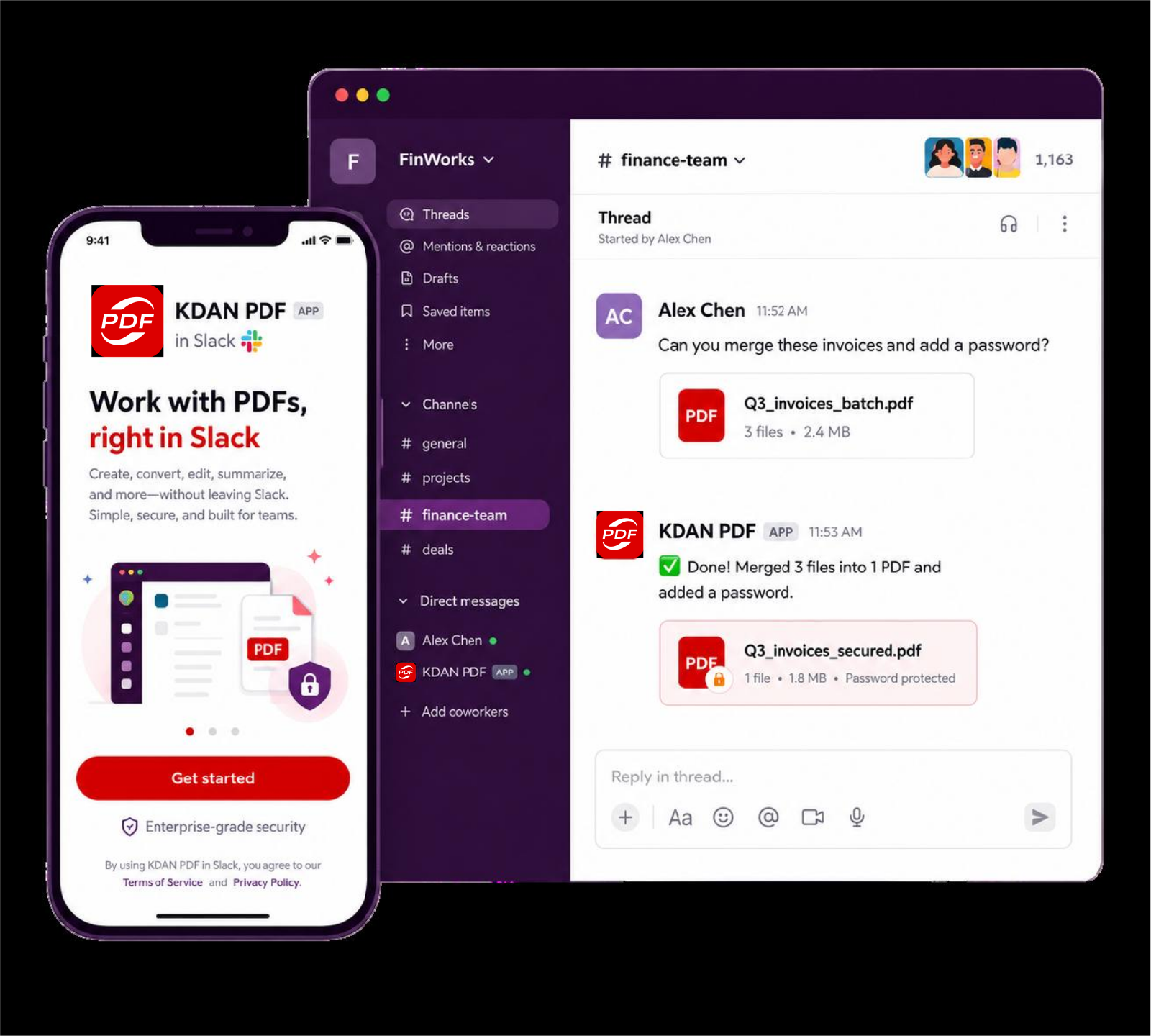
Your PDF workstation, built right into Slack.
Merge files, delete pages, redact sensitive data, compress, and password-protect PDFs — without ever leaving your conversation.
What You Can Do in Slack
KDAN PDF runs directly in your workspace. DM it directly or @-mention it in any thread — it handles the rest.
Merge PDFs
Instantly stitch multiple invoices, reports, or presentations into a single document for seamless sharing.
Manage Pages
Delete unwanted pages or reorganize a document's structure right inside your chat thread.
Redact Sensitive Data
Permanently black out confidential text, financial figures, or personal information before you share.
Compress PDF
Shrink file size to keep storage light and sharing fast, without losing document quality.
Secure & Password Protect
Add or change a password instantly to keep confidential files locked down and compliant.
Natural Language, No Training
No slash commands or menus. Just describe what you need — "compress this" or "add a password" — and KDAN PDF understands.
From upload to download, in one thread
No file transfers between apps — everything happens where your team already talks.
- 1
Add KDAN PDF to Slack
Install the app in a few clicks, then invite it to a channel with /invite @KDAN PDF or open a direct message.
- 2
Drop a PDF and ask
DM the bot or @-mention it in a thread. Attach your file, then say what you need in plain language — no commands to memorize.
- 3
Get your file back
KDAN PDF replies in-thread with a download link to the finished file. Your original is always preserved, untouched.
Built for how teams already use Slack
Real scenarios from finance, legal, HR, and ops teams who process PDFs without leaving their channels.
Merge and share invoices in seconds
Combine multiple invoices, reports, or presentations into a single PDF — right in the thread, before sending to accounting or a client.
Redact sensitive data before it goes out
Black out ID numbers, salaries, or other PII in a contract or offer letter before it's shared with someone outside the team.
Compress oversized files on the spot
Shrink a bulky PDF that's too large to upload or slow to send, without leaving Slack to find a separate compression tool.
Lock down files before they leave the workspace
Add or update a password on a proposal or contract right before it's sent externally, so only the intended recipient can open it.
Common Questions
Everything you need to know before adding KDAN PDF to your workspace.
What can KDAN PDF do inside Slack?

KDAN PDF can merge multiple PDFs into one, delete or reorganize pages, redact sensitive text or data, compress file size, and add or change a password — all without leaving your Slack conversation.
Do I need to learn slash commands to use it?
No. KDAN PDF is driven entirely by natural language. Just attach a PDF and describe what you want — for example, "merge these two files" or "delete page 3" — no commands or menus required.
How do I start using KDAN PDF in my workspace?
Click "Add to Slack" and authorize the app. Then invite it to a channel with /invite @KDAN PDF , or open a direct message with the bot to get started right away.
Is my data and are my files secure?
Yes. Each workspace's files and conversation history are isolated by a unique tenant ID, access tokens are encrypted at rest, and uploaded files are automatically deleted after a limited retention period. Deletion requests follow PDPA, GDPR, and CCPA principles.
Will my original PDF be modified or deleted?
No. KDAN PDF always creates a new file for the result and returns it as a download link in the thread — your original file is preserved and untouched.
Can I use it in a shared channel, or only in direct messages?
Both. You can DM the bot directly for one-on-one use, or @-mention KDAN PDF in any channel or group thread where it's been invited.
Is KDAN PDF for Slack free to use?
Yes, KDAN PDF for Slack is free to install and use.
What Slack permissions does the app request, and why?
KDAN PDF requests only the permissions it needs to function — such as reading files you upload so it can process them, sending replies in channels and DMs, and reading recent thread history so it can follow the conversation. It does not request access beyond what's required for PDF processing.
Are KDAN PDF's AI responses always accurate?
KDAN PDF's AI features use a Large Language Model (LLM) to understand and respond to your requests. Because AI-generated content has inherent limitations, responses may sometimes be inaccurate or incomplete. We recommend double-checking important content before relying on it. If you have any questions, feel free to contact our support team.
What should I do if I run into a problem while using it?
You can contact our support team anytime at: https://www.kdan.com/contact/support


Connect with KDAN
Follow us to receive all latest updates and promotions.