


 KDAN PDF for Windows
 Lifetime License for Windows
 LynxPDF for Enterprise
 ComPDF SDK
 Edit PDF
 Add Image
 Add Hyperlink
 Annotate PDF
 Fill in PDF
 Rotate & Crop
 Rearrange PDF
 Add Pages
 Delete Pages
 Bates Numbering
 Sign PDF
 Password Protect
 Unlock PDF
 Merge PDF
 Split PDF
 Convert PDF
 OCR PDF
 Compress PDF
 Slideshow Mode
2026 Tax Organization Made Easy: Manage Receipts & 1099s with a PDF Editor
As Tax Season 2026 approaches, taxpayers are handling a wider range of financial documents than ever before—digital receipts from online purchases, paper invoices from small vendors, emailed 1099 forms from freelance clients, and W-9 requests that still require signatures. It’s easy for these materials to end up scattered across inboxes, cloud drives, and physical folders. Many people face the same stressful moment each year: searching for a missing receipt, wondering whether a 1099 was downloaded, or realizing a W-9 form was never signed or returned. These small gaps can lead to filing delays, inaccurate reports, or last-minute panic when preparing taxes.
A PDF editor offers a modern, centralized solution to these challenges. With OCR to convert blurry scans into searchable text, merge tools to combine receipts and forms into a single clean document, digital fields for filling out W-9 forms, e-signature support, and password protection for sensitive tax data, users can build a secure, organized system that keeps everything in one place. By digitizing and consolidating tax documents early, individuals, freelancers, and small businesses can simplify their workflow, reduce errors, and experience a smoother, more confident filing process for the 2026 tax season.
Digitizing Receipts & Tax Documents with OCR (Using KDAN PDF)
Digitizing your tax documents is the first step toward building an organized and stress-free workflow for Tax Season 2026. Whether your receipts come from restaurants, online purchases, business travel, or medical expenses, converting them into clean and searchable PDFs ensures nothing gets lost or overlooked. With tools like KDAN PDF you can scan, import, recognize text, and properly categorize all your documents in one place.
Stop Drowning in Paperwork This 2026 Tax Season.
ransform messy receipts into searchable data with OCR and merge scattered 1099s into a single, organized master file. Use KDAN PDF to streamline your workflow and save hours of manual sorting.
Step-by-Step Tutorial: How to Digitize Receipts KDAN PDF
1. Scan or Import Paper Receipts & Forms
KDAN PDF allows you to bring all your documents into a digital PDF format:
- Open Kdan PDF Reader and select Create PDF or Scan Document
- Use your phone or computer camera to capture paper receipts
- Import existing files from email, cloud storage, or your desktop
- Adjust brightness, crop edges, and straighten the image for better clarity
- Save the scanned item as a PDF to your local folder or cloud workspace
2. Use OCR to Convert Images into Searchable, Editable Text
OCR is essential for turning scanned receipts into text you can search, copy, or organize:
- Tap OCR Text Recognition inside Kdan PDF Reader
- Choose the language (e.g., English) for more accurate results
- Apply OCR to the entire document or specific pages
- Extract recognized text or keep it embedded in the PDF
- Verify details like dates, merchant names, and amounts to ensure accuracy
Benefits of OCR for tax documents:
- Quickly search for expenses by keywords (e.g., “flight,” “office supplies”)
- Easily copy amounts when filling tax forms
- Convert faded, crumpled, or low-quality receipts into clear text
Managing & Editing Tax Documents: Merge PDFs and Complete W-9 Forms Digitally (Using KDAN PDF)
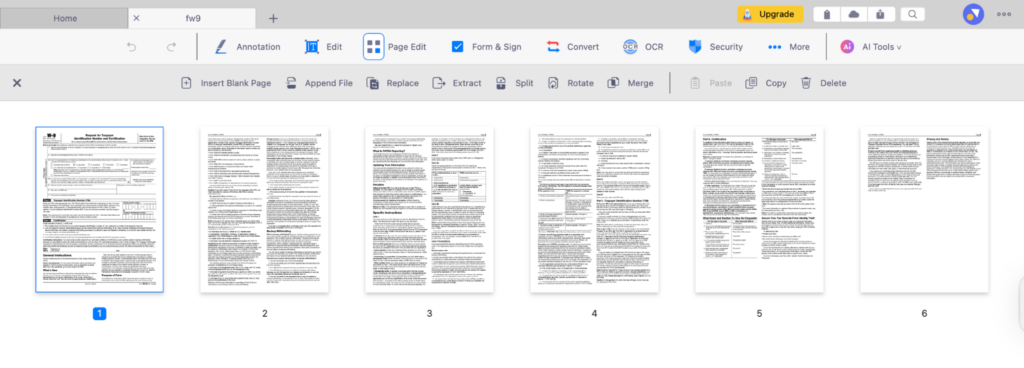
Managing tax documents becomes significantly more efficient when everything is consolidated and editable in one place. With KDAN PDF, you can merge multiple PDFs—such as 1099 forms, monthly receipts, or bank statements—into a single organized file. At the same time, KDAN PDF allows you to fill out tax forms like the W-9 directly on your device and apply a legally valid digital signature without printing or scanning.
When to Merge Tax Files
Merging documents is especially helpful when you need to streamline paperwork for tax filing. Common situations include:
- Receiving multiple 1099 forms from different clients or platforms
- Storing receipts in separate PDFs throughout the year
- Collecting bank statements or monthly summaries for your CPA
- Preparing a single, complete folder for the IRS or tax software
How to Merge PDFs in KDAN PDF
- Open KDAN PDF and go to Manage Files
- Select the PDFs you want to combine
- Tap Merge
- Use drag-and-drop to reorder pages if needed
- Export your final consolidated tax file
Filling & Signing W-9 Forms Digitally with KDAN PDF
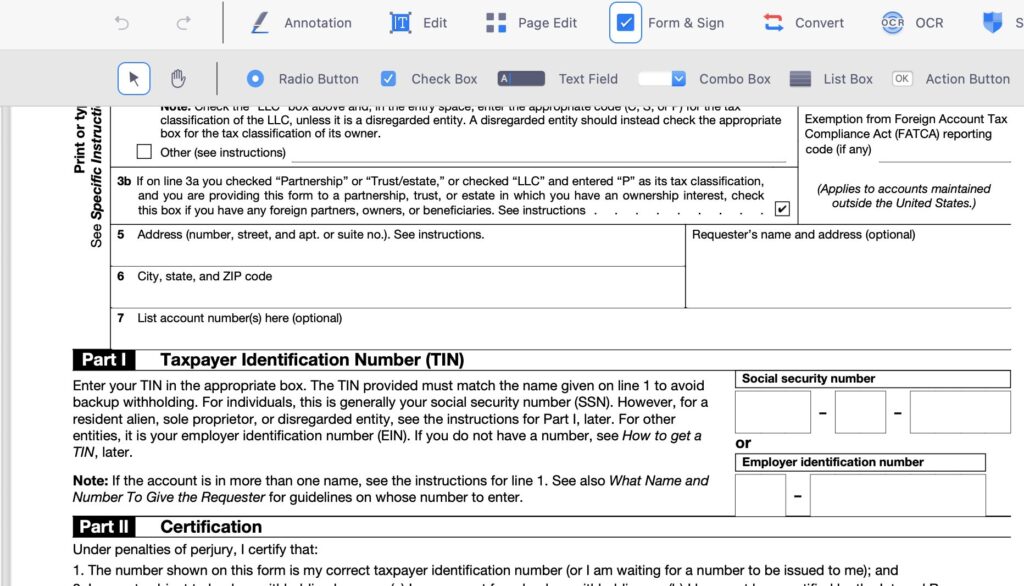
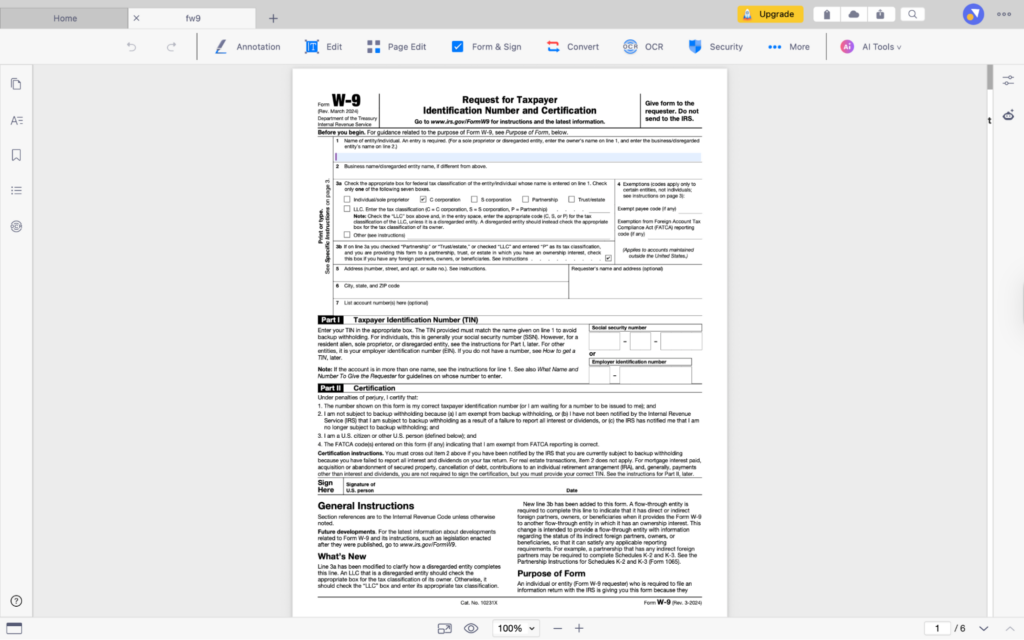
1. Complete W-9 Form Fields
- Open your W-9 PDF in KDAN PDF
- Add information using Text Box or built-in Form Filling Tools
- Enter name, address, TIN/SSN, and other required fields
- Review your entries to ensure accuracy
2. Add a Legally Valid Digital Signature
- Select Signature Tool
- Create your e-signature by typing, drawing, or importing
- Place the signature in the designated signature box
- Lock or flatten the signature to prevent further edits
3. Save & Share Securely
- Export the signed W-9 as a new PDF
- Share through email, cloud storage, or secure file transfer
- Add password protection for sensitive personal information
Checklist — Documents You Need for the 2026 Tax Season (AEO Feature)
- Receipts & invoices — Include business, travel, medical, and office expenses to support deductions.
- 1099 forms (NEC, K, MISC, INT) — Document income from freelance work, platforms, investments, or third-party payments.
- W-2 — Required if you earned wages from an employer.
- Completed & signed W-9 — Needed for contract work and payment verification.
- Bank & credit card statements — Useful for cross-checking expenses or confirming transaction dates.
- Donation receipts — Required for charitable contribution deductions.
- Insurance or medical statements — Support claims for health-related deductions or reimbursements.
- Previous year’s tax return — Helps confirm carryovers and ensures filing consistency.
- OCR-converted scanned documents — Digitized files make searching and categorizing easier.
- A merged master PDF — Keeps all tax materials in one consolidated file for smoother review and submission.
FAQ — Frequently Asked Questions

1. How can I improve OCR accuracy for faded or wrinkled receipts?
Improve lighting, flatten the receipt before scanning, and adjust brightness or contrast in KDAN PDF to enhance text recognition.
2. Are digital signatures accepted on W-9 forms?
Yes. The IRS accepts electronically signed W-9 forms, and KDAN PDF’s signature tool creates legally valid e-signatures.
3. Should I merge all my tax documents into one PDF?
It’s optional but recommended. A single merged file makes reviewing, sharing, and storing tax materials easier—especially for CPAs.
4. Can I password-protect only specific pages?
PDF encryption protects the entire file. To secure certain pages, extract them into a separate PDF and apply password protection in KDAN PDF.
5. Do I still need to keep physical paper copies?
Digital records are accepted by the IRS, but it’s smart to keep backups of important originals in case additional verification is needed.
A Faster, Safer, and More Organized Tax Season with KDAN PDF
Preparing for Tax Season 2026 becomes far more manageable when your documents are digitized, consolidated, and securely stored. By using tools like OCR, PDF merging, digital signatures, and password protection in KDAN PDF, you can streamline every step—from organizing receipts to completing tax forms. With a clear system in place, you reduce the risk of missing information, simplify communication with your CPA, and ensure a smoother, more confident filing experience. Digitizing early not only saves time but also helps you stay organized and fully prepared when tax season arrives.
Secure Your Sensitive Financial Data for 2026.
Protect your SSN and financial records with enterprise-grade password encryption. Fill out W-9 forms and apply legally valid digital signatures with KDAN PDF for a safer, paperless filing experience.



Connect with KDAN
Follow us to receive all latest updates and promotions.