


 KDAN PDF for Windows
 Lifetime License for Windows
 LynxPDF for Enterprise
 ComPDF SDK
 Edit PDF
 Add Image
 Add Hyperlink
 Annotate PDF
 Fill in PDF
 Rotate & Crop
 Rearrange PDF
 Add Pages
 Delete Pages
 Bates Numbering
 Sign PDF
 Password Protect
 Unlock PDF
 Merge PDF
 Split PDF
 Convert PDF
 OCR PDF
 Compress PDF
 Slideshow Mode
Adobe Acrobat vs. KDAN PDF for Legal Teams: The No-Drama Guide to Urgent PDFs
If you’re a lawyer or in-house counsel, you probably spend far more time on contract reviews, document management, and cross-team support than you do on courtroom drama. And once a project pulls in more stakeholders, the back-and-forth ramps up fast: more versions, more approvals, more “Can you double-check this?” moments.
Then there’s the real pressure point – legal documents are almost always time-sensitive. Vendors, courts, and regulators aren’t exactly known for being flexible about deadlines.
In this post, we’ll walk through how to use KDAN PDF to move faster when time is tight and mistakes aren’t an option.
Where Legal Document Workflows Usually Break
Do those sound familiar?
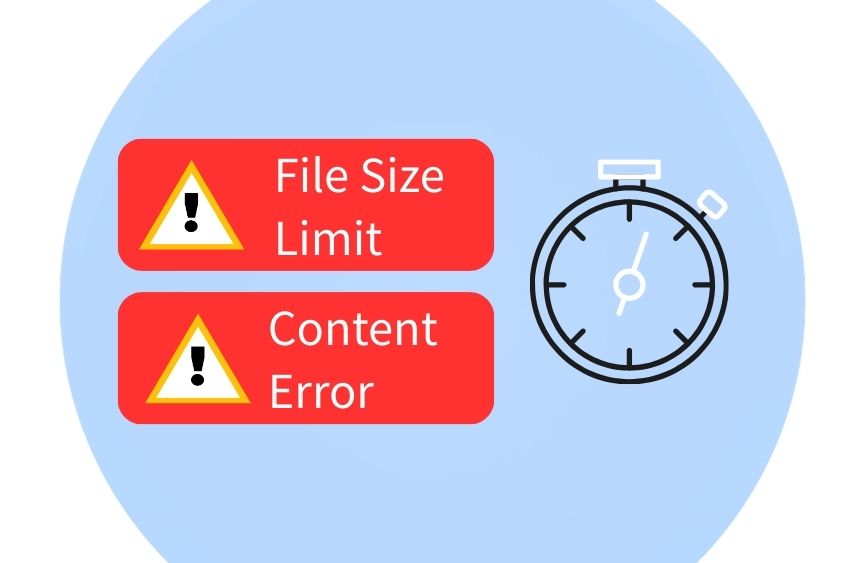
File size limits – and the “oh no” backup plan
E-filing typically means uploading documents by a hard cutoff (think 11:59 PM). You’re ready to hit submit… and suddenly spot a couple of typos, or a date that’s just slightly wrong.
Even more common: you’ve already proofed the file multiple times, but at the final step, you learn the system has a single-file size limit. Now you’re scrambling to compress the PDF – or split it into smaller files – just to get it through the portal in time.
Sharing high-risk documents under pressure
Sometimes you need to share sensitive files quickly with a court, an agency, opposing counsel, or investors – and only then realize the document includes personal data or confidential business information.
That’s when you’re forced to protect the file fast to reduce the risk of leaks or sending the wrong version to the wrong person.
Large firms and bigger companies often have a Document Management System (DMS) to manage versions and workflows in the cloud. But for smaller businesses, the reality is different: most teams still rely on everyday authoring tools like Microsoft Word or Google Docs, make edits there, then export to PDF for sharing.
Here’s the good news: modern PDF editors can often edit PDF content directly – and handle tasks like splitting files in seconds. That means fewer tool switches, less rework, and fewer opportunities for human error when the process gets messy.
Edit Legal PDFs Fast
Fix typos and split files in seconds.
What Adobe Acrobat Can Do
When people think “PDF editor,” Adobe Acrobat is usually the first name that comes to mind. It’s one of the most powerful options on the market – and it’s priced like it.
Editing text in Acrobat
- From the top toolbar (or the right panel), go to Edit > Edit a PDF.
- Click the paragraph or text you want to change. You’ll see an editable bounding box – just type to fix the typo, date, or wording.
- Need formatting tweaks? Use Format / Format Text to adjust font size, bold, alignment, and more.
Splitting a PDF in Acrobat
- Go to Organize Pages.
- Choose Split from the left menu.
- Pick how you want to split the file
- Set Output options (save location + naming rules).
- Click Split to save the new files.
What KDAN PDF Can Do
KDAN PDF is an Adobe Acrobat alternative built for serious document work – including legal workflows. It’s designed with security in mind, and it covers the essentials that legal teams lean on most when deadlines are tight: editing PDF text, splitting files, and more.
Editing text in KDAN PDF
- Click Edit on the top toolbar.
- Select the paragraph or text you want to change. You’ll see an editable bounding box – type to correct typos, dates, or content.
- Use the right-side panel to fine-tune formatting like font size, bold, and alignment.
Splitting a PDF in KDAN PDF
- Go to Edit Page.
- In the workspace menu, select Split.
- Choose your split method:
- Click Split to export and save the new files.
Redacting Sensitive Information (faster)
When it comes to redaction, KDAN PDF takes a faster, less manual approach. Unlike Acrobat, KDAN PDF offers AI-assisted redaction alongside the usual “black-box” editing: you select the kind of content you want to hide, and the AI can apply the same redaction across the document in bulk. The result is fewer repetitive passes — and a lower chance of missing sensitive details when you’re working against the clock.
Verdict
Legal work runs on deadlines, and the closer you get to one, the more likely something small turns into a blocker — a typo, a wrong date, a missing attachment, or a PDF that’s suddenly too large to upload. If you don’t have a DMS or enterprise workflow to lean on, a solid PDF editor becomes your safety net: one place to make quick fixes, reorganize pages, split files, and lock things down without jumping between tools. KDAN PDF covers the core “urgent doc” tasks so you can move faster and avoid version chaos when time is tight.
Try KDAN PDF for Free
Securely redact and edit urgent files.
Read more: KDAN PDF vs Adobe Acrobat: Features and Pricing Compared



Connect with KDAN
Follow us to receive all latest updates and promotions.