


 KDAN PDF for Windows
 Lifetime License for Windows
 LynxPDF for Enterprise
 ComPDF SDK
 Edit PDF
 Add Image
 Add Hyperlink
 Annotate PDF
 Fill in PDF
 Rotate & Crop
 Rearrange PDF
 Add Pages
 Delete Pages
 Bates Numbering
 Sign PDF
 Password Protect
 Unlock PDF
 Merge PDF
 Split PDF
 Convert PDF
 OCR PDF
 Compress PDF
 Slideshow Mode
Best PDF and E-Signature Tools for Small Law Firms: Acrobat Alternatives That Make Legal Work Easier
For small law firms, solo attorneys, and self-employed legal professionals, PDFs are more than a file type. They are the format behind engagement letters, client intake forms, contracts, settlement agreements, declarations, and court-ready filings. And as more legal work moves online, electronic signatures have gone from a nice extra to part of the everyday workflow.
That shift is easy to understand. Legal teams are under pressure to move faster, reduce admin work, and give clients a smoother signing experience without sacrificing professionalism or control. At the same time, firms still need to think about searchable PDFs, audit trails, court filing requirements, and document security.
That is why choosing the right PDF editor and e-signature tool matters. In this guide, we will walk through why PDF and e-signature workflows matter for legal professionals, where the friction points are, and which tools are worth considering, including Adobe Acrobat and more affordable Acrobat alternatives.
Why PDF and E-Signatures Matter for Legal Professionals
For legal work, speed is only part of the story. A good PDF and e-signature setup also helps reduce risk, improve document accuracy, and keep matters moving without unnecessary back-and-forth.
Legal work depends on polished, shareable, court-ready documents
Small firms often handle document prep themselves, which means the tools they use have a direct impact on quality. A contract that is hard to edit, a scanned document that is not searchable, or a filing packet that needs to be rebuilt at the last minute can create avoidable delays. PDFs remain the standard format because they preserve layout, look professional, and are widely accepted across legal workflows.
Clients expect simple digital signing
Clients do not want to print, sign, scan, and email documents back if they can avoid it. Electronic signatures help firms shorten turnaround time, especially for engagement letters, authorizations, fee agreements, NDAs, and settlement documents. A smoother signing experience can also make a small firm feel more modern and easier to work with.
Small firms need efficiency without adding complexity
In many solo and small-firm environments, the lawyer is also the person making tool decisions. That means software has to do more than check a feature box. It needs to save time, fit the budget, and work without a lot of IT support.
Security and auditability still matter
Legal professionals handle confidential information every day. When a signed PDF is ever questioned, what matters is not just whether it was signed, but how well the process can show intent, timing, attribution, and document integrity. That is where audit trails, access controls, and more advanced digital signature options start to matter.
How a PDF and E-Signature Workflow Helps Small Legal Teams
A practical PDF plus e-signature workflow can make legal operations noticeably more efficient, especially for firms without dedicated admin or IT support.
A lawyer or assistant drafts the document, edits the PDF if needed, adds signature fields, sends it for signature, tracks completion, downloads the final signed copy, and stores it in the matter file. If the document is court-facing, the team may also need OCR, redaction, Bates numbering, or formatting cleanup before filing.

The biggest advantages
Faster turnaround
Documents can go out and come back signed the same day, which is especially helpful for time-sensitive agreements and client onboarding.
Less manual work
You can cut out the print-sign-scan-email cycle and reduce version confusion.
Better client experience
Clients can sign from a laptop or phone without needing special software or a printer.
Cleaner records
Many e-signature tools attach timestamps, signer activity, and completion history, which makes recordkeeping easier.
Stronger workflow consistency
When your firm uses one standard process for preparing, signing, and saving documents, it is easier to stay organized and train others to follow the same steps.
The Drawbacks and What to Watch Out For
PDF and e-signature tools can save a lot of time, but they are not completely plug-and-play for legal work. There are a few practical issues worth paying attention to.
Not every signed PDF offers the same level of assurance
There is a difference between a simple electronic signature and a certificate-based digital signature. For many routine legal workflows, a standard e-signature may be enough. But for higher-risk documents or disputes, stronger signer authentication and tamper evidence may be worth the extra layer.
Audit trails vary more than people expect
Some tools include detailed audit data by default. Others require certain settings to be turned on. If your firm wants IP logging, device details, or signer authentication records, it is worth checking exactly what is included before you commit.
Court requirements can conflict with document protection
Password-protecting a PDF may sound like a smart security move, but court systems may reject documents that cannot be opened or reviewed properly. Firms often need both a protected internal copy and a clean, accessible filing copy.
OCR is more important than it sounds
If your team works with scanned paperwork, OCR is not just a convenience feature. It helps convert image-based files into searchable PDFs, which may be necessary for filing, review, and internal search. Without it, even a signed document can become harder to use later.
Pricing can get complicated
This is one reason many firms start looking for Acrobat alternatives. Some tools charge per user, some per year, and some by document or signing task. What looks affordable at first can get expensive if your team sends signature packets regularly.
Recommended PDF and E-Signature Tools for Small Law Firms
Here is a practical shortlist of tools worth considering if you want PDF editing and electronic signing in one legal workflow.
Adobe Acrobat + Acrobat Sign
Adobe Acrobat is still the most familiar name in this category, and for good reason. It offers strong PDF editing, OCR, redaction, and broad compatibility. For firms that want one of the most established options on the market, Acrobat remains a solid benchmark. It is also a natural reference point when evaluating Acrobat alternatives.
Best for:
Firms that want a mature, widely recognized PDF platform with advanced document tools.
Strengths:
- Strong PDF editing and conversion
- OCR for searchable PDFs
- Redaction and security controls
- Certificate-based digital signature support
- Familiar brand for clients and counterparties
Things to consider:
- Pricing can feel high for solo or small teams
- Some signing features may depend on plan level
- Advanced workflows may require a bit of setup
Acrobat pricing snapshot:
- Acrobat Standard: $14.99/month billed annually
- Acrobat Pro: $19.99/month billed annually
- Acrobat Standard for teams: $16.99/month per license
- Acrobat Pro for teams: around $23.99/month per license depending on plan and promotion
KDAN PDF and Document 365 AI+ eSign
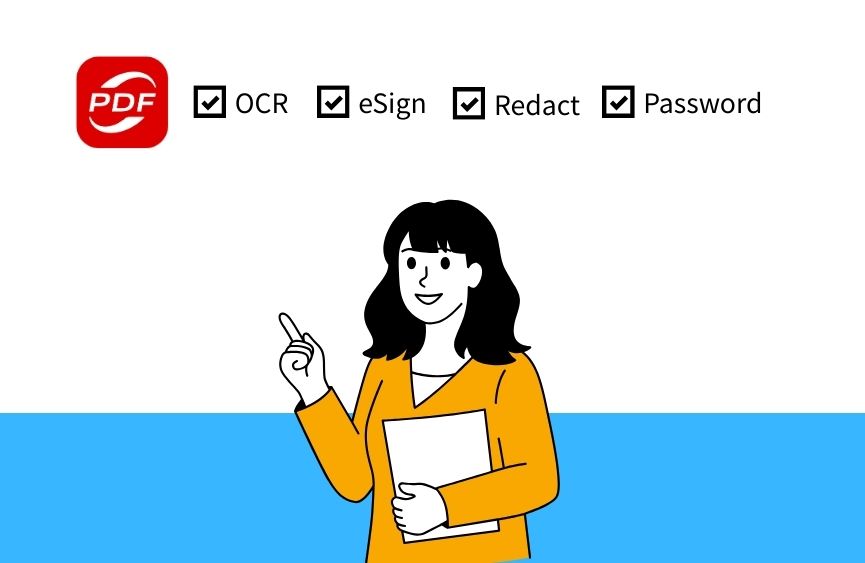
KDAN PDF paired with DottedSign is a practical Acrobat alternative for smaller legal teams that want lower annual costs and a lighter-weight workflow. KDAN PDF covers core editing, OCR, password protection, and Bates numbering, while DottedSign handles signature routing and audit-trail-based signing workflows.
Best for:
Small firms that want value-focused PDF editing plus a dedicated e-signature workflow.
Strengths:
- Lower annual entry price than Acrobat
- OCR and Bates numbering in paid tiers
- Cross-platform access
- DottedSign supports signing workflows and audit trails
- Good fit for firms that want separate PDF editing and signing layers
Things to consider:
- Certificate-based PDF digital signature capabilities are less clearly positioned than Acrobat
- Firms with more demanding evidentiary or compliance needs may want to test carefully
- Some advanced legal teams may still prefer Adobe’s broader ecosystem
Pricing snapshot:
- KDAN PDF Document 365: $59.99/year
- KDAN PDF Document 365 AI eSign+: $109.99/year
Get Legal-Ready PDFs Without the Acrobat Price Tag
KDAN PDF covers OCR, redaction, Bates numbering, and e-signing — everything a small law firm needs, starting at $59.99/year.
Feature and Pricing Comparison at a Glance
| Tool | Best For | Key PDF Features | E-Sign Features | Pricing |
| Adobe Acrobat | Firms wanting a mature all-in-one solution | Edit, convert, redaction, eSign No redaction, OCR, | Signature collection, tracking, digital signature support | From $179.88/Yearindividual |
| Adobe Acrobat Pro | Firms needing more advanced workflows | Advanced PDF editing, OCR, redaction, eSign | Broader e-sign tools | From $239/Year individual |
| KDAN PDF + Document 365 | Budget-conscious small firms | Edit, OCR, password protection, Bates numbering | Signature and signature library | $59.99/ Yearindividual |
| KDAN PDF + Document 365 AI+ eSign | Budget-conscious small firms | Edit, OCR, AI refact, Bates numbering, eSign | Audit trails, e-sign task workflows | $109.99/ Year individual |
Final Thoughts
For small legal teams, the right PDF and e-signature setup should make work easier, not heavier. You want a tool that helps you prepare documents cleanly, get them signed quickly, and keep the final records organized without creating extra friction for you or your clients.
Adobe Acrobat still makes sense for firms that want a proven, feature-rich platform and are comfortable with the higher monthly cost. But if Acrobat pricing feels steep for your current workflow, newer Acrobat alternatives like KDAN PDF combined with DottedSign can be a practical option, especially for solo attorneys and small firms that want solid core features without overpaying for complexity they may not use every day.
In the end, the best choice comes down to the kind of legal work you do most often. If your workflow depends heavily on court-ready PDFs, advanced redaction, and stronger signature assurance, Acrobat may still lead. If your priority is affordable document editing plus smooth day-to-day e-signing, an Acrobat alternative may be the better fit.
Try KDAN PDF Free for 7 Days
See how KDAN PDF handles your legal documents before you commit. Full feature access, no credit card required to start.


Connect with KDAN
Follow us to receive all latest updates and promotions.