


 KDAN PDF for Windows
 Lifetime License for Windows
 LynxPDF for Enterprise
 ComPDF SDK
 Edit PDF
 Add Image
 Add Hyperlink
 Annotate PDF
 Fill in PDF
 Rotate & Crop
 Rearrange PDF
 Add Pages
 Delete Pages
 Bates Numbering
 Sign PDF
 Password Protect
 Unlock PDF
 Merge PDF
 Split PDF
 Convert PDF
 OCR PDF
 Compress PDF
 Slideshow Mode
8 Best Adobe Acrobat Alternatives in 2026 (Free & Paid)
As PDFs continue to play a crucial role in education, businesses, and government agencies due to their security and compatibility, the market for PDF readers has expanded significantly. Although Adobe Acrobat Reader has been the dominant choice for a long time, its increasing cost has led many to seek out alternatives. This article addresses this by providing comprehensive purchasing guidance and in-depth reviews of various PDF reader solutions.
In addition to basic functions like reading, annotating, and printing, modern PDF readers now offer advanced features such as editing and encryption. By comparing different products, users can make informed decisions that meet their specific needs. Whether you’re looking for cost-effective options or specialized features, this guide provides valuable insights to navigate the wide range of PDF reader choices available today.
⚡ Quick Answer
The best Adobe Acrobat alternatives in 2025 are:
- 🏆 KDAN PDF — Best overall value
- 🛠 Foxit PDF Editor — Most feature-rich
- 👥 Nitro PDF Pro — Best for team collaboration
- 🤖 UPDF — Best AI-powered option
- 🍎 PDF Expert — Best for Mac & iOS
Free options: Smallpdf, Sejda, and PDF Candy — no software install required.
Why Users Are Leaving Adobe Acrobat (And What to Use Instead)
As evidenced by user feedback on G2, dissatisfaction with Adobe Acrobat’s pricing has become increasingly prevalent. This sentiment underscores a growing sentiment among users that the cost of Adobe Acrobat has become prohibitively expensive.
Moreover, many users have expressed frustration with Adobe’s subscription model, particularly the difficulty in canceling subscriptions. Reports suggest that the cancellation process is not straightforward, often involving multiple steps, and sometimes leading to unexpected charges or the need for customer service intervention. This complexity can deter users who seek more flexible and transparent subscription options.
As a result, there has been an increase in the availability of alternative PDF editor products. These products aim to offer more affordable options without sacrificing functionality. This trend demonstrates a change in consumer preferences towards cost-effective solutions that still provide the necessary features for managing and editing PDF documents. With these alternatives available, users can explore new options and make informed decisions based on their budget and specific requirements.
# G2 2024 Best Office Software Award
⭐️Download for Free! KDAN PDF Reader - Mac.Windows
How to Choose the Right Adobe Acrobat Alternative
Having the right tools is essential for excelling in your tasks. A reliable PDF reader can significantly boost office productivity. When choosing a PDF reader, it’s crucial to consider not only cost-effectiveness, but also compatibility with external file formats, interface design, and more. Here, we outline four pivotal factors to guide you in choosing the ideal PDF reader tailored to your requirements:
1. Cost-effectiveness
Assessing the overall value proposition is paramount. Look beyond the initial price tag and consider long-term costs, including subscription fees or additional charges for premium features. Seek options that balance affordability and functionality, ensuring you’re getting the most bang for your buck.
2. Feature set
Evaluate the breadth and depth of features offered by the alternative PDF reader. Beyond basic functionalities like viewing and annotation, consider advanced capabilities such as PDF editing, form filling, OCR (optical character recognition), and document conversion. Prioritize solutions that align with your specific workflow requirements and offer the tools necessary to streamline your document management tasks effectively.
3. User-friendliness
Seek intuitive interfaces and straightforward navigation. Well-designed interfaces minimize the learning curve, ensuring quick adaptation for Adobe Acrobat users. Look for accessibility features, keyboard shortcuts, and ample support resources to enhance usability for all skill levels.
4. Compatibility
Ensure the alternative PDF reader is compatible with your existing software ecosystem, including operating systems (e.g., Windows, macOS, Linux) and devices (e.g., desktops, laptops, tablets, smartphones). Verify support for popular file formats, integration with cloud storage services, and compatibility with collaboration tools to facilitate seamless document sharing and collaboration across platforms.
# G2 2024 Best Office Software Award
⭐️Download for Free! KDAN PDF Reader - Mac.Windows
Adobe Acrobat Alternatives at a Glance
Compare pricing, platforms & best use cases — updated 2026
← Swipe to see full table →
| Tool | Platforms | Price | Free Tier | Best For |
|---|---|---|---|---|
| Paid PDF Editors | ||||
| KDAN PDFEditor’s Pick |
Win
Mac
iOS
Android
|
From $59.99/yr AI+ $99.99/yr · Lifetime $119.99/device 75% cheaper than Adobe | 7-day trial | Best overall value — full features across all platforms |
| Adobe Acrobat Pro |
Win
Mac
iOS
Android
Web
|
$239.88/yr $19.99/mo, billed monthly | Limited free | Enterprises already locked into the Adobe ecosystem |
| Foxit PDF Editor |
Win
Mac
iOS
Android
|
~$160/yr NT$5,098/yr (Editor Plus) | Free reader | Power users needing advanced editing tools |
| Nitro PDF Pro |
Win
|
$15.75/mo/user Classic $283.50/license (one-time) | No free tier | Teams needing batch processing & collaboration |
| UPDF |
Win
Mac
iOS
Android
|
$49.99/yr One-time license also available | Free reader | Budget-conscious users who want AI features |
| PDF Expert |
Mac
iOS
|
~$75/yr NT$2,390/yr · Lifetime ~$157 (NT$4,990) | Free reader | Mac & iOS users wanting a polished native experience |
| Free Online Tools | ||||
| Smallpdf | Web |
Free Pro from $12/mo | Free | Quick one-off tasks with no software install |
| Sejda | Web |
Free Pro from $7.50/mo | Free | Online merging, splitting & basic edits |
| PDF Candy | Web |
Free Pro plan available | Free | Users who need a wide variety of free PDF tools |
5 Best Paid Adobe Acrobat Alternatives for PDF Editing
The following is a list of four popular PDF reader products. We have outlined factors to consider when choosing a PDF editor: from practical user experience to the pros and cons of each PDF reader, we provide valuable information for enterprises considering alternatives to Adobe Acrobat Reader.
1. KDAN PDF
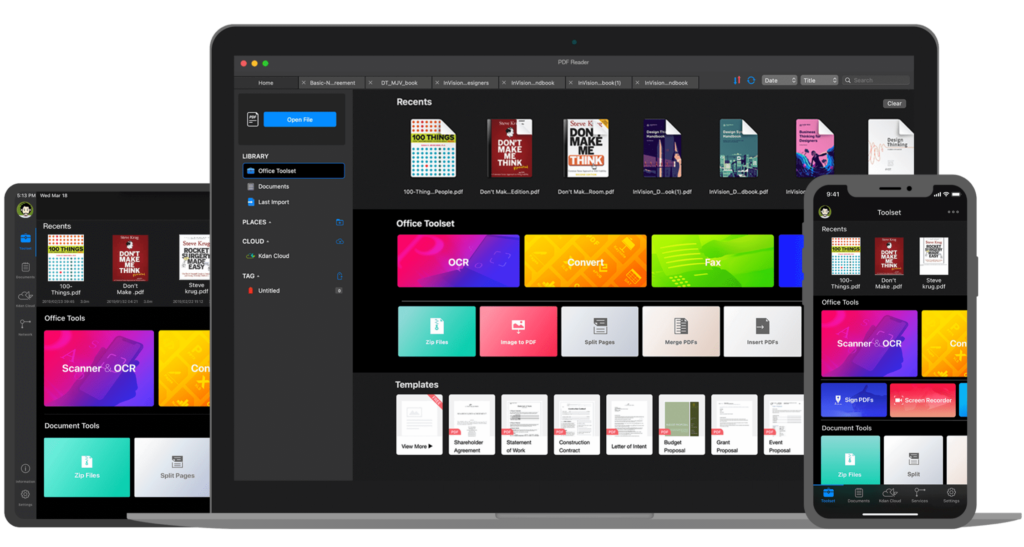
KDAN PDF offers a comprehensive range of features including PDF reading, editing, encrypting, and signing. Users can download a free trial for 7 days on various platforms or opt for the KDAN PDF Reader Mac or Windows version directly from the official website. Compared to Adobe PDF Reader, KDAN PDF Reader is more cost-effective, priced at just 65% of Adobe’s rate, yet it provides a full suite of functionalities, making it a high-value option. Its intuitive interface and robust features make it a preferred choice for those seeking an alternative PDF reader solution.
Pros:
- Affordable Pricing: KDAN PDF offers a cost-effective alternative to Adobe PDF Reader, making it accessible to a wider range of users.
- Comprehensive Features: It provides a full range of PDF management tools including reading, editing, encryption, and dynamic stamping, catering to various user needs.
- Cross-Platform Compatibility: Available on multiple platforms including Mac, Windows, iOS, and Android, allowing users to access and edit PDFs seamlessly across devices.
- Intuitive Interface: KDAN PDF Reader boasts an intuitive interface, making it easy for users of all skill levels to navigate and utilize its features effectively.
Cons:
- Discrepancy in Features between Mobile and Desktop Versions: There may be variations in functionality between the mobile and desktop versions of KDAN PDF, so it’s advisable to review the store page or product website for detailed information before making a choice.
- Interface Design: KDAN PDF Reader’s interface differs from Adobe’s by placing commonly used functions on the main page, which may require users to adjust their navigation habits.
- Lack of Third-Party Integration: Currently, KDAN PDF does not offer the ability to integrate with third-party tools, limiting its interoperability with other software solutions.
Best for: Individuals and small businesses looking for a full-featured, cross-platform PDF editor at a fraction of Adobe’s price.
Price:
- Personal Plan: Annual Subscription: $61/year
(Additional monthly and usage-based billing options are available.)
(Provides access to all features of KDAN PDF Reader on Android, iOS, Mac, and Windows.)
- Enterprise Plan: Perpetual license: $120
(Contact sales for enterprise pricing details.)
- Free Version:
Offers basic PDF reading, annotation, and simple editing features at no cost
# G2 2024 Best Office Software Award
⭐️Download for Free! KDAN PDF - Mac.Windows
2. Foxit PDF Reader
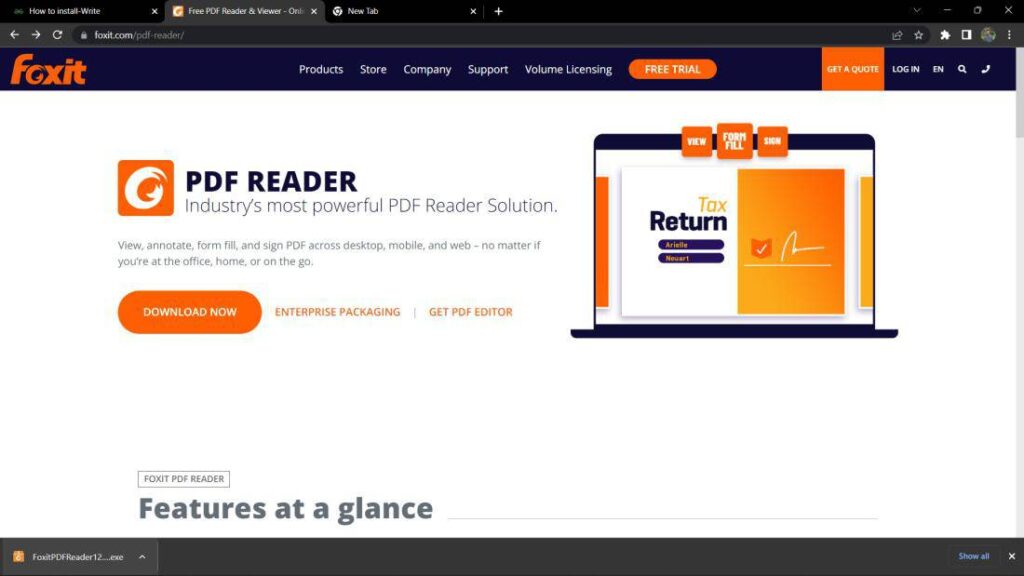
Foxit PDF Reader is a versatile software for viewing, editing, and managing PDFs. It offers a seamless experience across Windows, Mac, iOS, and Android with its user-friendly interface and advanced features like annotation, form filling, and encryption. It prioritizes document security with features such as password protection and digital rights management. Whether you’re a casual user or a business professional, Foxit PDF Reader provides a reliable solution for all your PDF needs.
Pros:
- Cross-Platform Compatibility: It is available on Windows, Mac, iOS, and Android, ensuring seamless access across various devices.
- Advanced Functionalities: It includes advanced features such as annotation, form filling, and encryption, enhancing productivity and document security.
- Reliable Solution: Whether for personal or professional use, Foxit PDF Reader provides a dependable solution for all PDF needs.
Cons:
- Pricing: Some advanced features may require purchasing a subscription or a one-time license, which could be a drawback for budget-conscious users.
- Feature Variability: Certain features may vary between different platforms, leading to inconsistencies in user experience.
- Compatibility Issues: Users may encounter compatibility issues with certain file formats or devices, affecting the overall usability of the software.
Best for: Power users and IT-managed teams who need advanced editing tools with strong document security controls.
Price:
- Foxit PDF Editor Suite Pro Windows & Mac: Approximately $181/year
- Foxit PDF Reader Editor Pro Windows: Approximately $239 (one-time purchase)
- Foxit PDF Reader Editor: Approximately $239 (one-time purchase)
- Foxit Editor for Mac: Approximately $205 (one-time purchase)
- Foxit Editor for iOS: $10.99/year
- Foxit Editor for Android: $10.99/year
- Foxit Editor Cloud: Approximately $68/year
3. Nitro PDF Pro
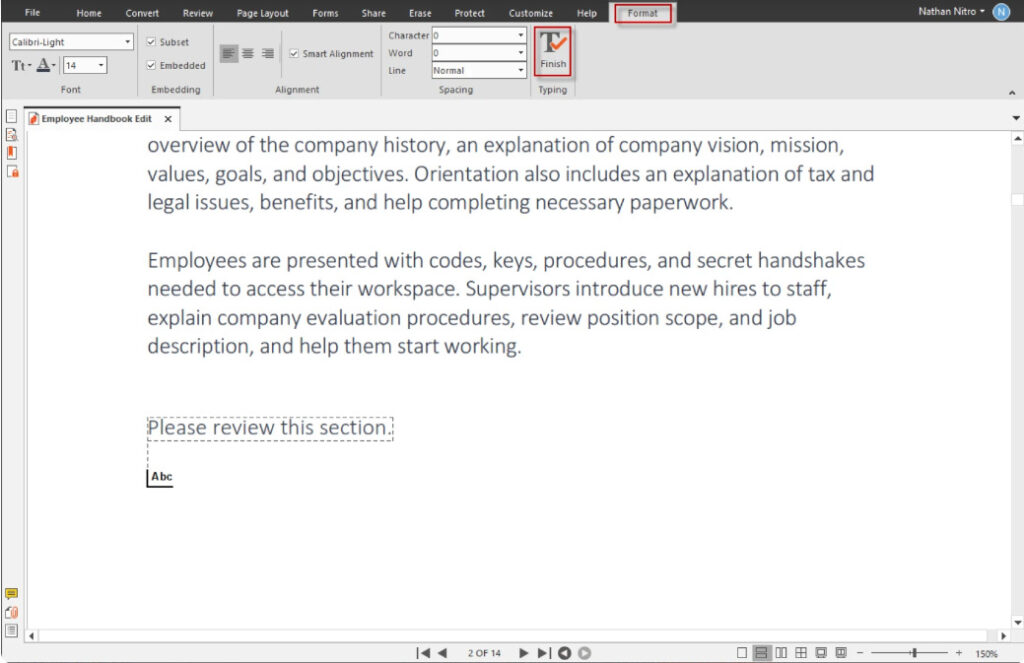
Nitro PDF Pro is a robust PDF solution that enhances document management and productivity. It offers tools for creating, editing, converting, and collaborating on PDFs. With seamless integration with Microsoft Office, Google Drive, and Dropbox, it streamlines workflows. Its intuitive interface, similar to Microsoft Office, ensures ease of use. Nitro PDF Pro excels in batch processing, saving time on large projects. Nitro Cloud enables real-time collaboration and electronic signatures, ideal for team projects. While it may be pricier and more resource-intensive than some alternatives, Nitro PDF Pro provides a comprehensive and efficient solution for both individuals and businesses.
Pros:
- Integration with Productivity Tools: Nitro PDF Pro offers robust integration with popular productivity tools such as Microsoft Office, Google Drive, and Dropbox, enhancing workflow efficiency.
- Batch Processing: Nitro PDF Pro excels in batch processing capabilities, allowing users to convert, combine, and edit multiple PDFs simultaneously, which can save significant time for large projects.
- Cloud-Based Collaboration: Nitro Cloud enables users to share and collaborate on documents in real-time, with tools for electronic signatures and annotations, making it highly suitable for team projects.
Cons:
- Higher Cost: Nitro PDF Pro is generally expensive, which may not be suitable for budget-conscious users.
- Resource-Intensive: It can be demanding on system resources, potentially affecting performance on older or less powerful computers.
- Learning Curve for Advanced Features: While the basic interface is user-friendly, mastering the advanced features can require significant time and effort.
- Limited Mobile Functionality: The mobile capabilities are less comprehensive, which may not meet the needs of users requiring robust mobile features.
Best for: Windows-based teams that handle high volumes of documents and need batch processing with built-in collaboration features.
Price:
- Nitro Pro (1 to 20 users): Starting at $14.99 per user per month
- Nitro Pro (20+ users): Starting at $9.99 per user per month
- Nitro Pro Business: Starting at $14.99 per user per month (Contact for pricing)
- Nitro PDF Pro for Windows: Price: Starting at $179.99 with one-time purchase
4. UPDF
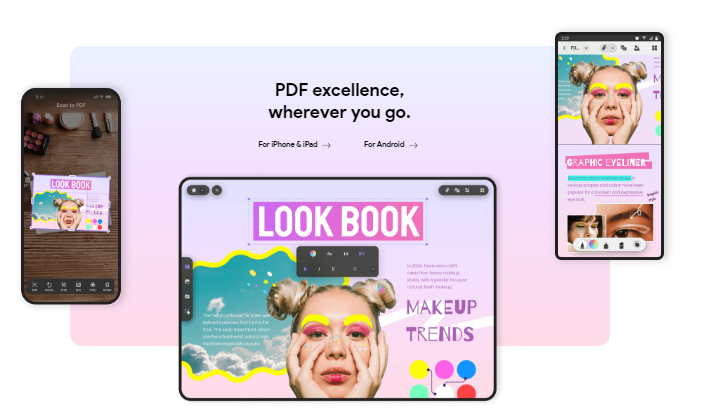
UPDF is a dynamic PDF software that simplifies viewing, annotating, editing, converting, OCR, and organizing PDF files. Its user-friendly interface ensures seamless operations for users of all levels. With advanced functionalities and AI integration, UPDF enhances user experience by offering features like summarization, translation, and explanation of PDFs. Ideal for professionals, students, and anyone needing PDF manipulation.
Pros:
- Dynamic AI Integration: UPDF’s integration with AI technology enhances functionalities such as summarization, translation, and explanation of PDFs, providing users with advanced capabilities for document manipulation.
- Intuitive Design: The software’s intuitive design facilitates effortless navigation and task execution, making it accessible to users with varying levels of expertise.
- Efficient Document Management: With UPDF, users can efficiently manage their PDF documents, streamlining workflows and improving productivity.
Cons:
- Complexity of Advanced Features: Users may encounter challenges in fully utilizing UPDF’s advanced features, particularly those integrated with AI technology, due to their complexity and learning curve.
- Limited Integration with Other Software: UPDF may have limited integration with third-party software or platforms, which could hinder seamless workflow for users who rely on multiple tools for document management.
- Platform Dependency: While UPDF offers desktop and mobile versions, users may experience inconsistencies in features and performance across different platforms, impacting overall user experience.
Best for: Budget-conscious users who want AI-assisted PDF tools — such as document summarization and translation — without a steep price tag.
Price:
- UPDF Pro Individuals: $32.99 per year (1 license per year)
- UPDF Pro Individuals: $52.99 with one-time purchase (1 license with one-time purchase)
- UPDF Pro Enterprise: Starting at $79.00 (1 license with one-time purchase)
5. PDF Expert
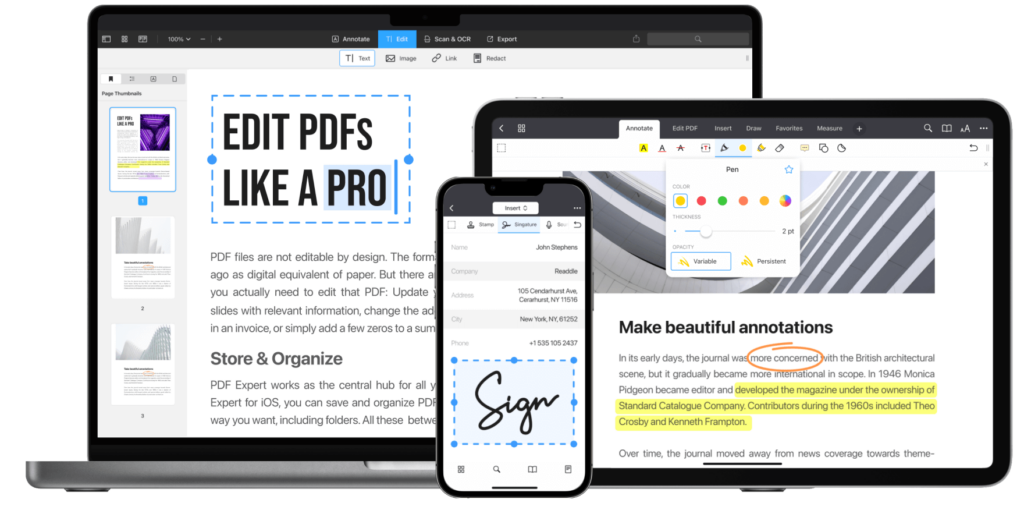
PDF Expert excels as a cross-platform PDF solution, offering advanced annotation tools, seamless document editing, and robust conversion capabilities. Compatible with macOS and Windows, it ensures accessibility across different operating systems. Its intuitive interface facilitates efficient collaboration with features like highlights, sticky notes, and drawing tools. Users can edit text, images, and links directly within PDFs, streamlining workflow without the need for conversion. With secure document handling features, including password protection and encryption, PDF Expert guarantees confidentiality. Its versatility, combined with customizable options, makes it a top choice for professionals seeking efficient PDF management.
Pros:
- Cross-Platform Compatibility: PDF Expert is available for both macOS and Windows, offering flexibility across different operating systems.
- Advanced Annotation Tools: It provides comprehensive annotation features, including highlights, sticky notes, and drawing tools, enhancing collaboration.
- Seamless Document Editing: Users can edit text, images, and links directly within PDFs without converting to other formats, streamlining workflow.
Cons:
- Integration Limitations: PDF Expert may have limitations in integrating with other software or platforms, which could affect seamless workflow for users who rely on multiple tools.
- Updates and Support: The frequency and quality of updates, as well as customer support, may not be as robust as some competitors, potentially affecting user satisfaction and troubleshooting efficiency.
- Mobile App Feature Parity: The mobile app version of PDF Expert may lack some features available in the desktop version, potentially impacting the user experience for mobile users.
Best for: Mac and iOS users who prioritize a clean, native experience for everyday annotation and light PDF editing.
Price:
- PDF Expert Premium: $79.99 (1 License Per Year)
3 Best Free Online Adobe Acrobat Alternatives
Manage your PDF documents online without installing software on your device with free online PDF tools. From your web browser, you can view, edit, convert, merge, and split PDF files. The flexibility of online tools, unlike installed PDF readers, makes them ideal for small, on-the-go tasks, as well as for users with limited storage space. Online tools do not usually offer the robust editing capabilities and enhanced security that installed PDF readers do, including offline accessibility and advanced security features. Despite these differences, free online PDF tools are excellent for users seeking straightforward, no-cost solutions for their PDF management needs.
Small PDF
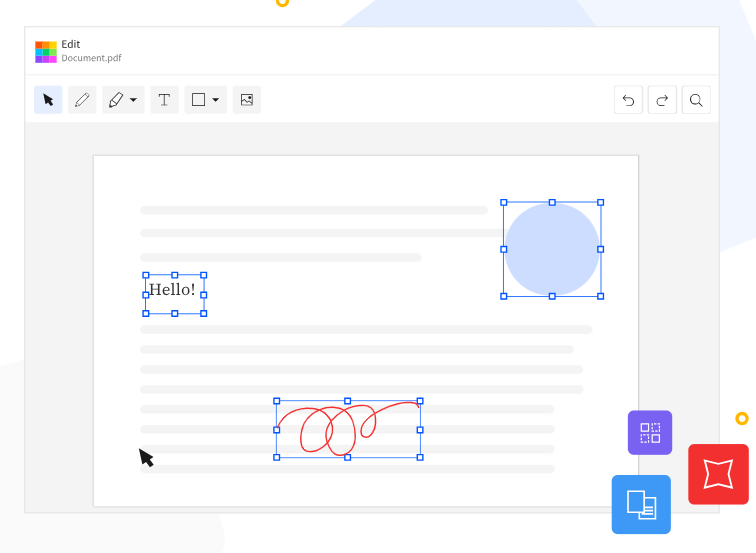
Smallpdf demonstrates that creating and editing PDF documents doesn’t require software installations. This user-friendly and free online Adobe Acrobat alternative operates entirely within your browser, mimicking many of Adobe Acrobat’s functions. Users can create, edit, merge, combine, and convert PDFs to various formats without installing any software. As it operates on a cloud-based platform, Smallpdf enables extensive collaboration by simplifying the sharing of PDFs being worked on.
Best for: Users who need flexible online PDF editing — including form filling and page manipulation — without creating an account.
Sejda
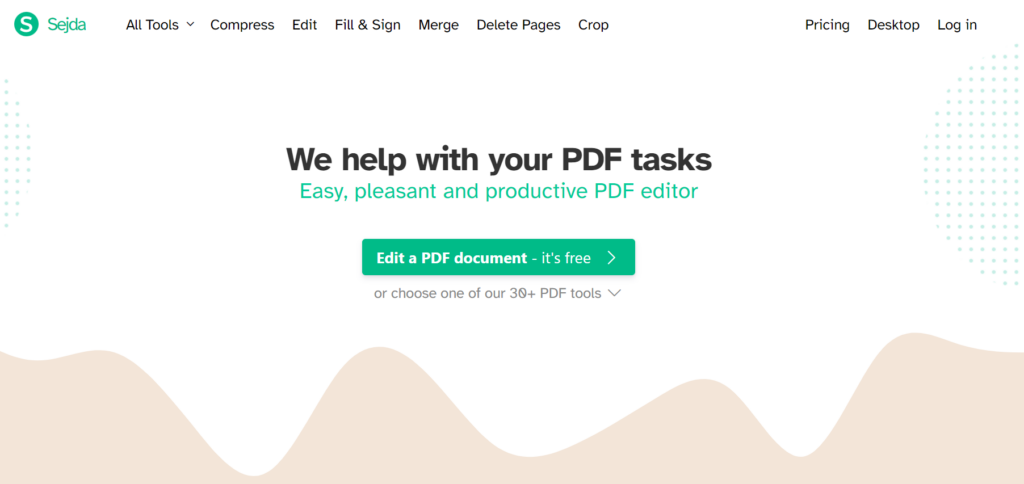
Sejda stands out as a versatile online PDF editor, offering a comprehensive range of features for document management. Unlike Smallpdf, Sejda provides an intuitive platform for editing, merging, splitting, and converting PDF files without requiring software installations. With its user-friendly interface and extensive capabilities, Sejda simplifies tasks such as annotation, page manipulation, and file compression. Whether for personal or professional use, Sejda offers a convenient and accessible solution for all your PDF editing needs.
Best for: Occasional users who need to quickly merge, compress, or convert a PDF without installing any software.
PDF Candy
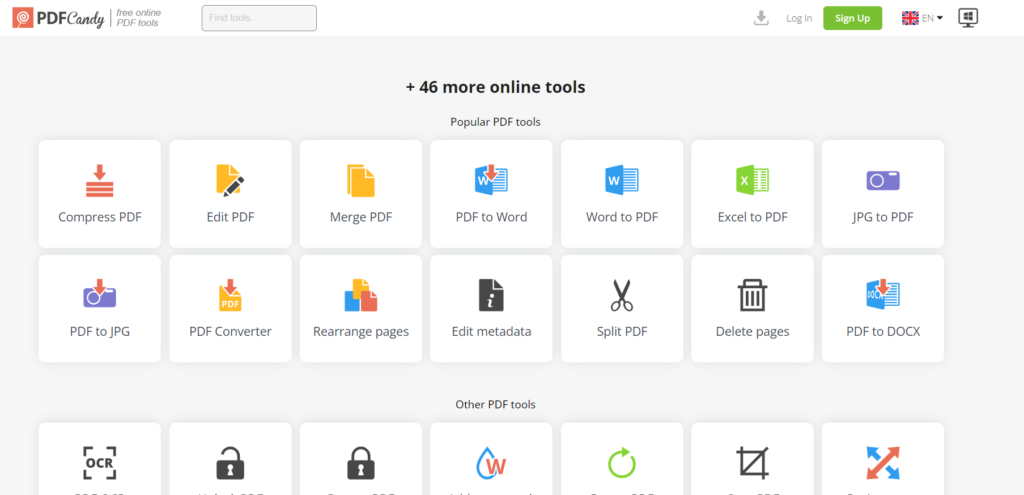
PDF Candy offers a user-friendly online platform for managing PDF documents, distinguishing itself with a diverse set of tools. Unlike Sejda and Smallpdf, PDF Candy provides an array of features such as PDF merging, splitting, and encryption, along with image and text extraction. Its intuitive interface simplifies tasks like converting PDFs to various formats, including Word, Excel, and JPG. Perfect for users seeking a comprehensive toolkit for PDF management, PDF Candy stands out for its versatility and accessibility.
Best for: Users who need a wide variety of free PDF tools in one place, from format conversion to image extraction.
FAQs
For browser-based, no-install use, Smallpdf and PDF Candy are the top free options. Both handle common tasks like merging, splitting, and converting PDFs at no cost.
If you need a desktop app with a free tier, KDAN PDF offers a full-featured 7-day free trial — giving you access to editing, OCR, signing, and encryption before committing to a plan.
Yes. KDAN PDF is the closest feature-for-feature match to Adobe Acrobat Pro, covering PDF editing, OCR, e-signatures, encryption, and cross-platform support — at a starting price of $59.99/year, which is 75% cheaper than Adobe’s $239.88/year.
KDAN PDF also offers a Lifetime License at $119.99/device — a one-time purchase with no recurring fees.
For Windows users, KDAN PDF and Foxit PDF Editor are the strongest choices. Both offer full editing, OCR, and document security features natively on Windows.
Nitro PDF Pro is also Windows-only and excels at batch processing — making it a good fit for teams handling large volumes of documents.
KDAN PDF for Mac and PDF Expert are the top picks for macOS. PDF Expert is praised for its native Mac feel and clean UI, though it lacks OCR.
KDAN PDF offers a broader feature set including OCR and AI tools, making it the better option if you need more than just annotation and basic editing.
It depends on your workflow. Free online tools like Smallpdf, Sejda, and PDF Candy are great for occasional tasks — merging files, compressing PDFs, or quick format conversions.
However, they typically lack offline access, advanced editing, OCR, and enterprise security features. For regular business use, a dedicated desktop app is a more reliable replacement.
Yes. Several tools offer one-time purchase options:
KDAN PDF Lifetime License — $119.99/device, no recurring fees.
Nitro PDF Classic — $283.50/license (one-time).
PDF Expert — Lifetime license available (~$157).
A lifetime license is especially cost-effective if you plan to use the software for 2+ years.
KDAN PDF, Foxit PDF Editor, and UPDF all support both Mac and Windows — with consistent feature sets across platforms. KDAN PDF additionally covers iOS and Android, making it the best choice if you also work on mobile.
PDF Expert is Mac and iOS only, so it’s not an option for Windows users.
The most common reasons cited by users are:
High cost — At $239.88/year, Adobe Acrobat Pro is one of the most expensive PDF tools on the market.
Difficult cancellation — Adobe’s subscription cancellation process has been widely criticized, and the company has faced regulatory scrutiny over it.
Feature overkill — Many users don’t need the full Adobe suite and prefer lighter, more focused tools.
Better alternatives exist — Tools like KDAN PDF deliver comparable functionality at a fraction of the price.
Which Adobe Acrobat Alternative Is Right for You?
Adobe Acrobat’s high charges may not be feasible for most users. When choosing a PDF reader, it’s important to consider several factors, including interface design, compatibility, functionality, security, and cost. In addition to these features, businesses should also consider the availability of license management and the level of customer support provided by the developer.
This article has introduced alternatives to Adobe PDF Acrobat Reader, such as KDAN PDF Reader, Foxit PDF Reader, Nitro PDF Pro, UPDF, PDF Expert, and three online editing tools: Smallpdf, Sejda, and PDF Candy. We hope this guide helps you choose the most suitable PDF application based on the features and pricing of each product.
(The featured image is made by flutie8211 on Pixabay.)



Connect with KDAN
Follow us to receive all latest updates and promotions.